Formspill Add to Chrome

See which trackers get what you type into a form

Formspill is a free form privacy checker for Chrome. Before you type your email, phone number or card details into a website, it shows who receives them: the site, ad networks, analytics tools and session recorders.
Available in the Chrome Web Store
  • Free
  • No account
  • Checked with made-up details
  • Nothing leaves your browser
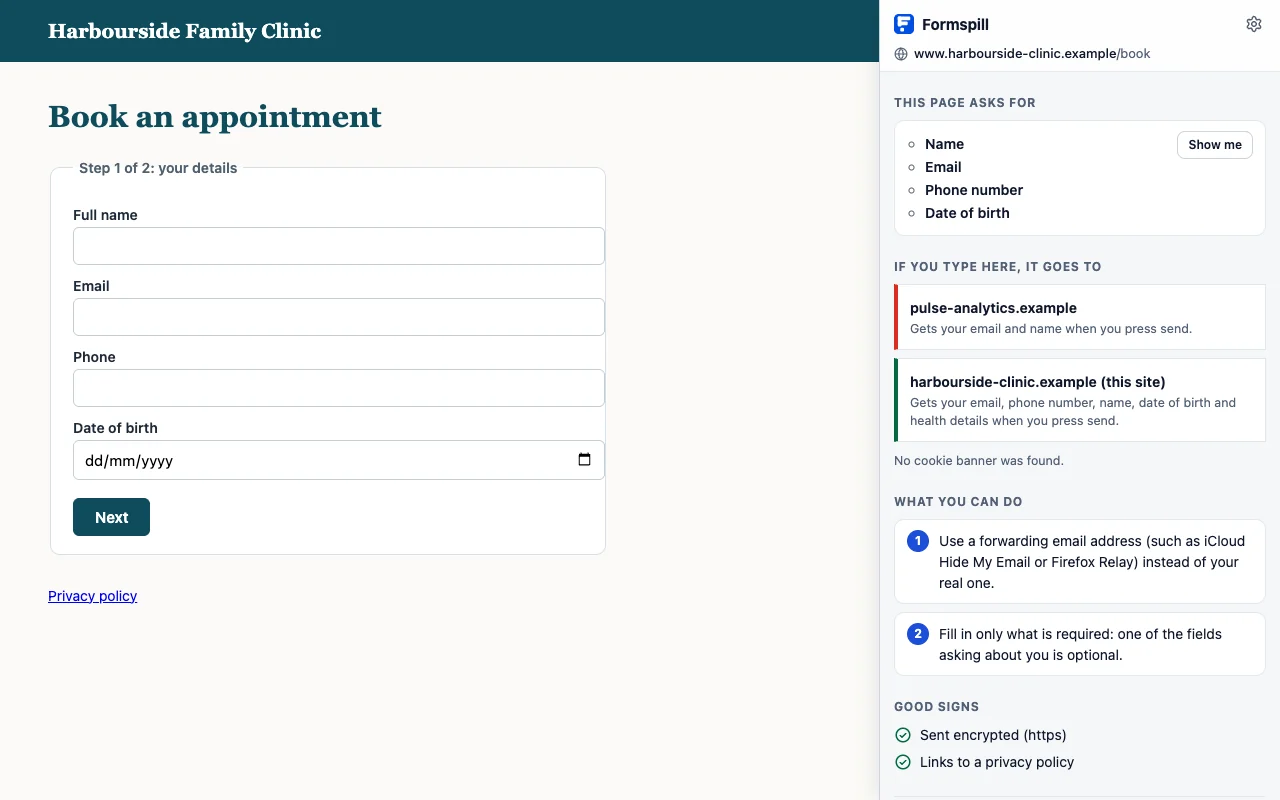
Formspill's result after a check: an analytics company gets the email and name when you press send, and the clinic gets the email, phone number, name, date of birth and health details

What does Formspill show?

What the page asks for

Your email, name, phone, card details, with a “Show me” button that points to the form.

Who else runs code on the page

The other companies whose scripts could see what you type. The check then shows which of them actually receive it.
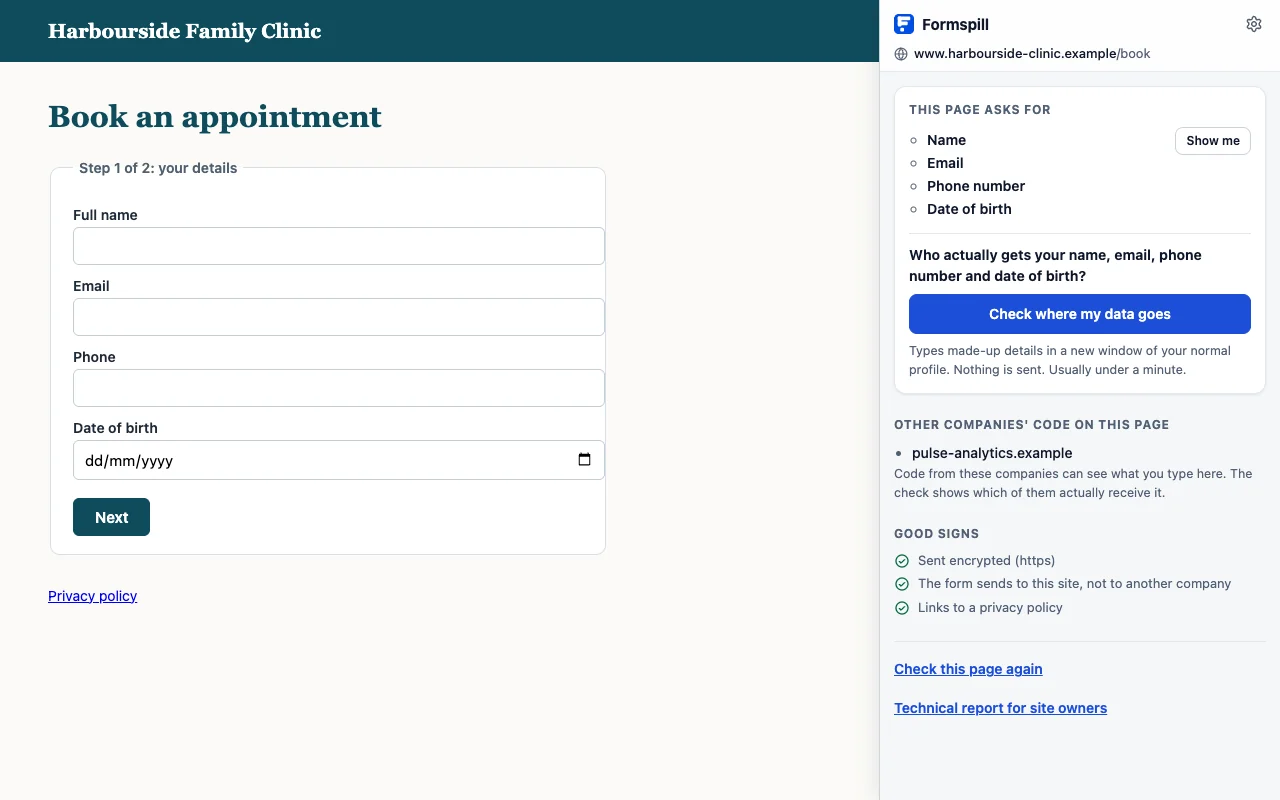
The Formspill sidebar next to a clinic's appointment form: the form asks for name, email, phone number and date of birth, and one other company's code runs on the page

“Show me” points to the form

One click outlines the form on the page and labels each field it collects, so you know exactly which form the answer is about.
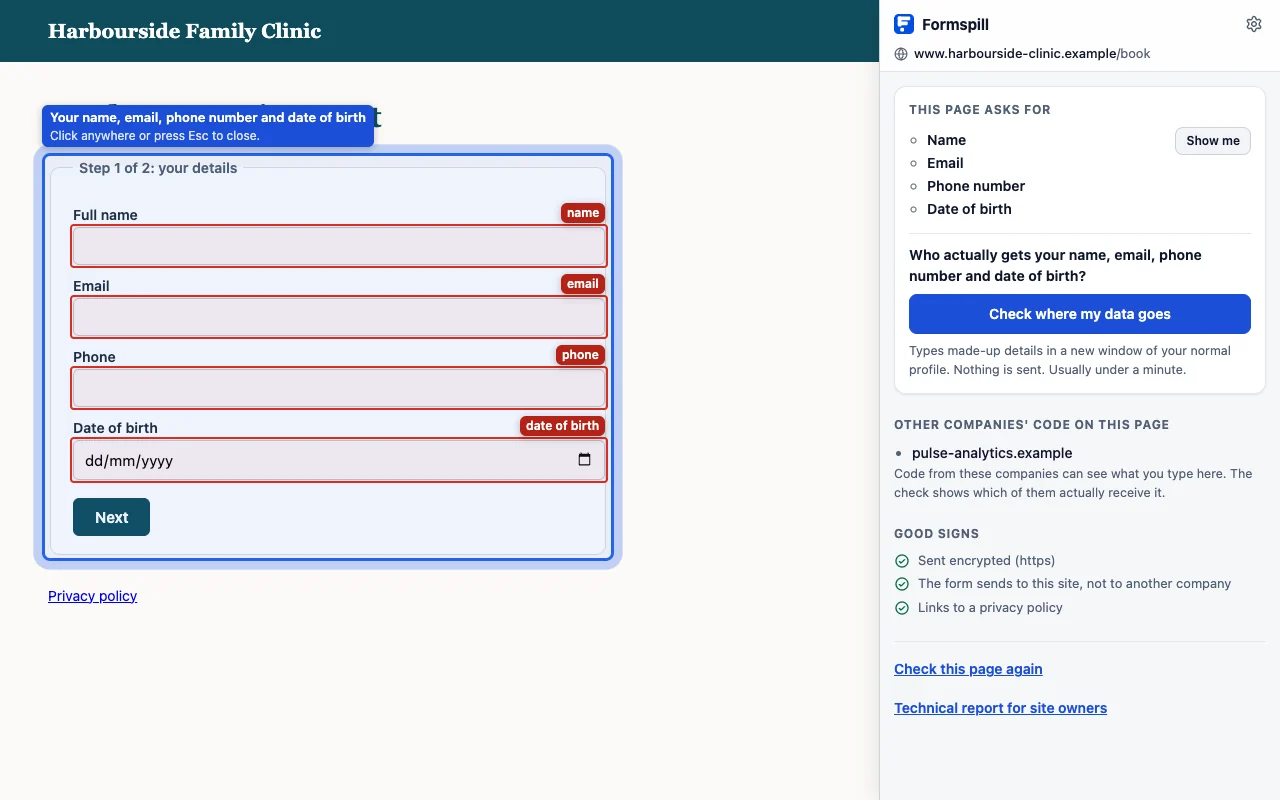
Show me outlines the appointment form on the page and labels each field it collects: name, email, phone and date of birth

Who actually received what, and when

After a check: while you typed or when you pressed send, company by company.

Scrambled (“hashed”) details

Emails turned into a code that ad networks can still link to you.

Session recorders

Scripts that replay your visit, and whether what you typed reached them.

Plain warnings

A form sent without encryption, a form that puts your details in the web address, a marketing box ticked for you.

Which trackers can see what you type?

Many websites load code from other companies. Advertising pixels such as the Meta (Facebook) Pixel, Google Ads, TikTok and LinkedIn Insight can receive your email, often scrambled into a “hash” that still identifies you. Analytics tools such as Google Analytics can pick up details from the page address. Session recorders such as Hotjar, Microsoft Clarity and FullStory can capture what you type, sometimes letter by letter, before you press send.

A tracker list only tells you who is on the page. Formspill shows what each of them actually received from the form, and whether it happened while you were typing or when you pressed send.

How does the check work?

  1. Click the Formspill icon on any page. A sidebar lists what the page's forms ask for and which other companies run code there.
  2. Press “Check where my data goes”. Formspill opens the page in a separate private window and types obviously made-up details into its forms.
  3. It watches every request the page makes. Anything carrying the made-up details is stopped inside the browser, so nothing is ever submitted.
  4. The sidebar then lists, company by company, who would have received what, and when.

The check also opens pop-up forms (“Sign up”, “Get 10% off”), follows multi-step forms past “Next”, and catches trackers that send what you type a few seconds later or one letter at a time. It reads forms in English, German, French, Spanish, Italian, Dutch, Swedish, Portuguese, Hindi, Chinese and Japanese.

A 90-second walk through a check, from clicking the icon to the technical report.

Is Formspill private?

Formspill has no server, no account, no analytics and no tracking. Everything happens in your browser, your real details are never used, and results are kept only until you close it. Read the privacy policy.

No serverEverything runs in your browser.
No accountInstall it and click the icon.
No trackingNo analytics in the extension or on this site.

Can website owners use it?

Yes. Every result links to a technical report with findings and fixes, so you can run a quick privacy audit of your own forms: which pixels and session recorders receive personal data, and what to change.
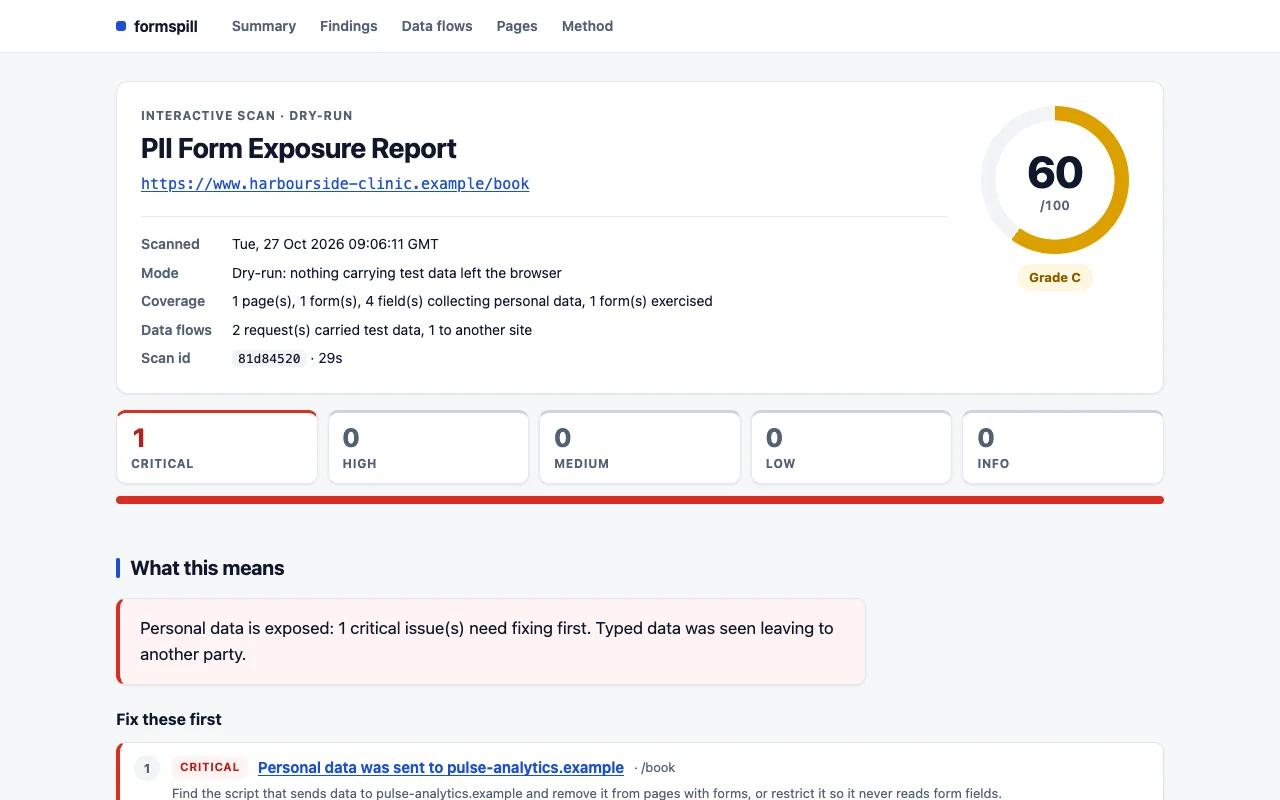
The Formspill technical report for site owners: a score of 60 out of 100, one critical finding that personal data was sent to another company, and how to fix it

Frequently asked questions

Which trackers can Formspill detect?

Any company whose code runs on the page or whose server receives what you type. Common ones are advertising pixels such as the Meta (Facebook) Pixel, Google Ads, TikTok and LinkedIn Insight, analytics such as Google Analytics, and session recorders such as Hotjar, Microsoft Clarity and FullStory. Company names come from a curated list and the AdGuard companies database.

Is my real data sent anywhere during a check?

No. The check types obviously made-up details, never yours, and every request carrying them is blocked inside the browser, so nothing is submitted. Formspill has no server of its own, so nothing is sent to Formspill either.

What is session recording?

Session recorders are scripts that capture what you do on a page, including what you type into forms, so the site can replay your visit later. Formspill shows whether one is on the page and whether what you typed reached it.

What does it mean when my email is sent hashed?

Hashing turns your email into a scrambled code. Ad networks use the same code to match you across sites, so a hashed email still identifies you. Formspill shows when a form's details leave the page hashed.

Is Formspill free?

Yes. Formspill is free, needs no account, and has no analytics or tracking of its own.

See who gets what you type, before you type it.

Free for Chrome. No account, no tracking.

Available in the Chrome Web Store